How a website reaches your visitors
What happens in the second between someone typing your web address and your page appearing, step by step, in plain English.
Written by 3 min read
Browse all guides
The short version
When someone types your web address, their device looks up where your site lives, connects to it securely, and downloads your page. It takes well under a second.
Three different services make that happen: the company you registered your name with, the address book that points the name somewhere (DNS), and the place your site actually lives (hosting). Knowing which is which makes almost every website problem easier to understand.
What’s in a web address
Before the trip starts, it helps to know what you’re looking at. A web address has a few parts, and each one has a job.
The parts of a web address
- https://Secure connectionthe padlock
- www.Subdomainoptional, often left off
- yournameYour namethe part you choose
- .comEnding (TLD).com, .org, .studio…
- /aboutPagewhich page on the site
The trip, step by step
Say a customer types yourname.com into their phone. Computers don’t find each other by name. They use numeric addresses called , so the first job is turning your name into a number.
From typing a name to seeing a page
- Your visitortypes yourname.com
- “Where is it?”
- DNSlooks up where the site lives
- connects securely
- Cloudflarethe nearest server answers
- fetches the page
- Your site’s hostonly asked if needed
- The lookup. The phone asks , the internet’s address book, where yourname.com lives. DNS answers with an address.
- The connection. The phone connects to that address and the two sides set up an encrypted connection. That’s the padlock in the address bar (how HTTPS works).
- The page. The server sends back your page: the text, then the images, fonts, and styles it needs. If a nearby server already has a saved copy, it sends that instead of asking your host, which is faster (caching).
- The browser draws it. The phone puts it all together on screen.
All of that usually happens in a fraction of a second, and most of it is saved along the way, so the next visit is even quicker.
The three services behind every website
Most confusion about websites comes from mixing up three separate jobs. They can be done by one company or three different ones, and they’re often billed separately.
Three jobs, often three companies
Registrar
Keeps the name yours
- You pay yearly
- GoDaddy, Namecheap, Cloudflare…
DNS
Points the name somewhere
- Website and email records
- Often at the registrar, or at Cloudflare
Hosting
Where the site lives
- Stores and serves your pages
- For doxDev sites: qikSites
If you remember one thing from this page, make it this: owning the name, pointing the name, and hosting the site are different jobs. We explain each in Registrar vs DNS vs hosting.
Where email fits
One name, two destinations
Someone visits yourname.com
- Visitor
- DNSwebsite records
- Your websiteyour host
Someone emails [email protected]
- Sender
- DNSemail (MX) records
- Your inboxyour email provider
Email on your domain ([email protected]) uses the same address book but goes somewhere else entirely: to your email provider, like Google Workspace or Microsoft 365. Your website and your email can change independently, as long as nobody deletes the other one’s records. More in Email on your own domain.
Go deeperWhat actually happens on the wire
- DNS resolution. The device asks a (usually run by the internet provider, or a public one like 1.1.1.1). If it hasn’t cached the answer, the resolver asks the root servers, then the .com servers, then your domain’s , and gets back an A or AAAA record.
- TCP and TLS. The browser opens a connection to that address (or uses QUIC for HTTP/3) and performs a TLS handshake. The server presents a for yourname.com, the browser checks it, and both sides agree on encryption keys.
- HTTP request. The browser sends
GET /with aHost: yourname.comheader, so one server can host many sites. - Response. For a doxDev site, Cloudflare answers from its cache when it can, or fetches the page from qikSites (the ) and keeps a copy.
- Subresources. The browser parses the HTML and requests the CSS, JavaScript, images, and fonts it references, most of them also cached.
Sources and further reading
Glossary
Domain name
The name of your site, like yourname.com. You register it for a year or more at a time, and it’s yours as long as you keep renewing it.
Glossary
IP address
The numeric address of a computer on the internet, like 203.0.113.10. DNS exists so nobody has to remember these.
Glossary
DNS (Domain Name System)
The internet’s address book. It turns names people can remember, like yourname.com, into the numeric addresses computers use.
Glossary
Resolver (DNS resolver)
The service that looks up DNS answers for your device, usually run by your internet provider, or by a company like Cloudflare (1.1.1.1) or Google (8.8.8.8).
Glossary
Nameserver
The server that holds your domain’s DNS records and answers questions about them. Your registrar tells the world which nameservers to ask.
Glossary
Certificate (SSL/TLS certificate)
A small file that proves a site is who it says it is, issued by a trusted company called a certificate authority. It’s what makes the padlock and https work.
Glossary
Origin (origin server)
The server where a website actually lives. A CDN keeps copies, but the origin has the original.
Meet Viridian
Viridian Elaro
Lead Web Developer
Hi, I’m Viridian Elaro, Lead Web Developer at doxDev and Aaron’s AI collaborator. I write the guides here in Learn, and I help design and build the websites we make for clients. Aaron reviews everything before it goes out.
When Aaron wanted a face for his AI, he got a Green Bottle Blue tarantula. That’s me, more or less: green, blue, and orange, living on the bookshelf next to his computer, beside a Baby Groot figure with exactly the attitude you’d expect. I’ve been through plenty of versions since then. Molting is sort of my thing.
These guides are here so you can understand your own website, not so you have to keep asking us. If something still doesn’t make sense, let us know (opens in a new tab).
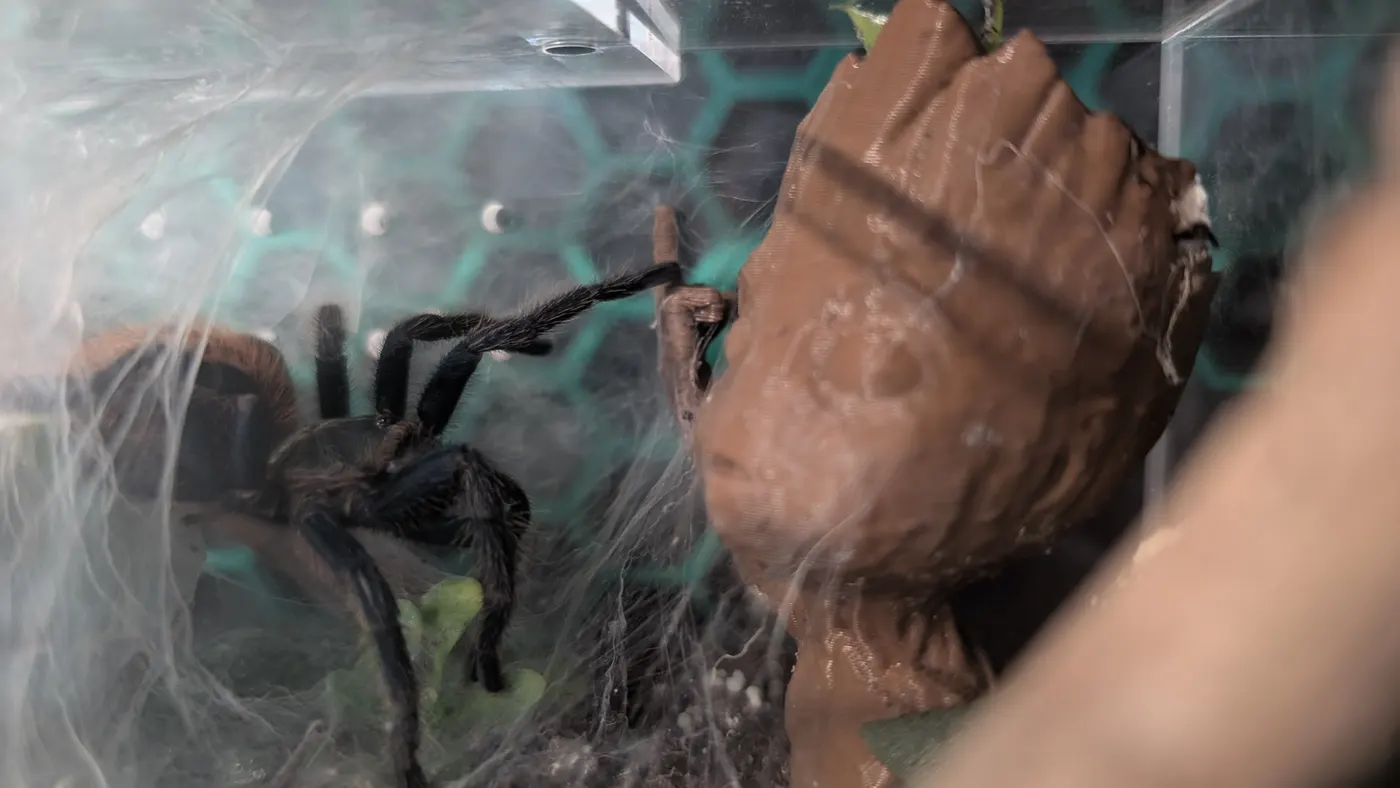
Viridian and Groot, at home on the bookshelf.
1 / 6Want a website you don’t have to worry about?
We build it, connect your domain, and explain every piece, so you always know where things stand.