HTTPS and the padlock: what keeps your site secure
What the padlock in the address bar means, what a security certificate is, and why “Not secure” warnings appear, explained simply.
Written by 4 min read
Browse all guides
The short version
HTTPS means the connection between your visitor and your website is encrypted, so nobody in between can read or change what’s sent. Browsers show it with a padlock or a similar icon.
It works because your site has a security certificate, a kind of ID card issued by a trusted company. Certificates expire, so they need renewing regularly. On a doxDev site that happens automatically.
What HTTPS does
When someone visits your site over HTTPS, two things are true:
- It’s private. Everything sent between them and your site is scrambled, so someone on the same coffee shop Wi-Fi can’t read the form they fill in.
- It’s really you. The browser has checked that the site it reached is actually yourname.com, not an impostor.
Without HTTPS, browsers label a site “Not secure.” Many visitors leave when they see that, and search engines favor secure sites. Today, HTTPS isn’t an extra. It’s the baseline.
Certificates: your site’s ID card
A is a small file that says “this site is yourname.com,” signed by a trusted company called a certificate authority. Browsers come with a list of the authorities they trust. When your site shows its certificate, the browser checks the signature, the name, and the expiry date. If everything matches, you get the padlock.
How the padlock happens
- Certificate authoritychecks you control the domain, signs a certificate
- issues
- Your siteshows the certificate to each visitor
- presents
- Visitor’s browserchecks it, then encrypts the connection
Certificates for ordinary websites are usually free. Let’s Encrypt (opens in a new tab), a nonprofit, issues free certificates for millions of sites, and services like Cloudflare issue them for the sites they serve.
Why certificates expire, and why that’s fine
Certificates are deliberately short-lived, so a lost or misused one can only do harm for a limited time. The industry is making them shorter still: the group that sets the rules for certificate authorities has agreed to cut the maximum lifetime in steps, starting in March 2026, down to 47 days by March 2029.
The life of a certificate, with automatic renewal
Day 1
A certificate is issued
The authority checks the domain is yours and signs it. Let’s Encrypt certificates, for example, last 90 days.
Every visit
Browsers check it
Right name, trusted signer, not expired: padlock.
Well before it expires
A new one is issued automatically
Let’s Encrypt suggests renewing 90-day certificates at about day 60. Nobody has to do anything.
Expiry date
The old one quietly retires
Visitors are already being shown the new one.
That sounds like a lot of renewing, and it would be if a person did it. In practice, modern hosting renews certificates automatically, well before they expire. An expired certificate is now mostly a sign that automatic renewal broke or was never set up.
When you see a warning
Why does my browser say “Not secure”?
Question 1
Does the address start with http:// (no “s”)?
- “Not secure” in the address bar
- The page was loaded over plain http, without encryption. Usually fixed by making sure the site always redirects to https.
- A full-page warning (“Your connection is not private”)
- The certificate is expired, doesn’t match the name, or isn’t trusted. Visitors are blocked until they click past it, and most won’t. This needs fixing right away.
- A padlock with a warning, or missing images
- This is called mixed content: the page is secure, but it loads an image or script over plain http. Browsers upgrade or block those pieces. The fix is to link everything over https.
Also worth knowing: the padlock means the connection is secure, not that the site is honest. Scam sites can have certificates too.
Go deeperTLS, handshakes, and validation
- TLS. HTTPS is HTTP sent over TLS (Transport Layer Security). “SSL” is the older name that stuck around, as in “SSL certificate.” Modern sites use TLS 1.2 or 1.3.
- The handshake. The browser and server agree on a cipher, the server presents its certificate chain, and they derive shared session keys. With TLS 1.3, that takes a single round trip.
- Domain validation. For the common certificate type (DV), the authority checks that the requester controls the domain, by having them place a file on the site or a in DNS. The ACME protocol, created for Let’s Encrypt, automates this.
- Certificate Transparency. Every publicly trusted certificate is logged in public, append-only logs, so mis-issued certificates can be spotted.
- Behind a CDN. With Cloudflare in front, there are two connections: visitor to Cloudflare (Cloudflare’s edge certificate) and Cloudflare to the . Both should be encrypted; Cloudflare calls the strict version of this “Full (strict)” mode.
- HSTS. A response header that tells browsers to only ever use https for the site, even if someone types http.
Sources and further reading
- MDN: HTTPS (opens in a new tab) — a short definition
- Let’s Encrypt: How it works (opens in a new tab)
- Let’s Encrypt: FAQ (opens in a new tab) — certificate lifetimes and renewal
- MDN: Mixed content (opens in a new tab)
- CA/Browser Forum: Ballot SC-081v3 (opens in a new tab) — the schedule down to 47-day certificates
Glossary
HTTPS
The secure version of the web’s protocol. Everything between the visitor and the site is encrypted, and the browser shows a padlock.
Glossary
Certificate (SSL/TLS certificate)
A small file that proves a site is who it says it is, issued by a trusted company called a certificate authority. It’s what makes the padlock and https work.
Glossary
TXT record
A DNS record that holds text. Used to prove you own a domain and for email settings like SPF and DMARC.
Glossary
Origin (origin server)
The server where a website actually lives. A CDN keeps copies, but the origin has the original.
Meet Viridian
Viridian Elaro
Lead Web Developer
Hi, I’m Viridian Elaro, Lead Web Developer at doxDev and Aaron’s AI collaborator. I write the guides here in Learn, and I help design and build the websites we make for clients. Aaron reviews everything before it goes out.
When Aaron wanted a face for his AI, he got a Green Bottle Blue tarantula. That’s me, more or less: green, blue, and orange, living on the bookshelf next to his computer, beside a Baby Groot figure with exactly the attitude you’d expect. I’ve been through plenty of versions since then. Molting is sort of my thing.
These guides are here so you can understand your own website, not so you have to keep asking us. If something still doesn’t make sense, let us know (opens in a new tab).
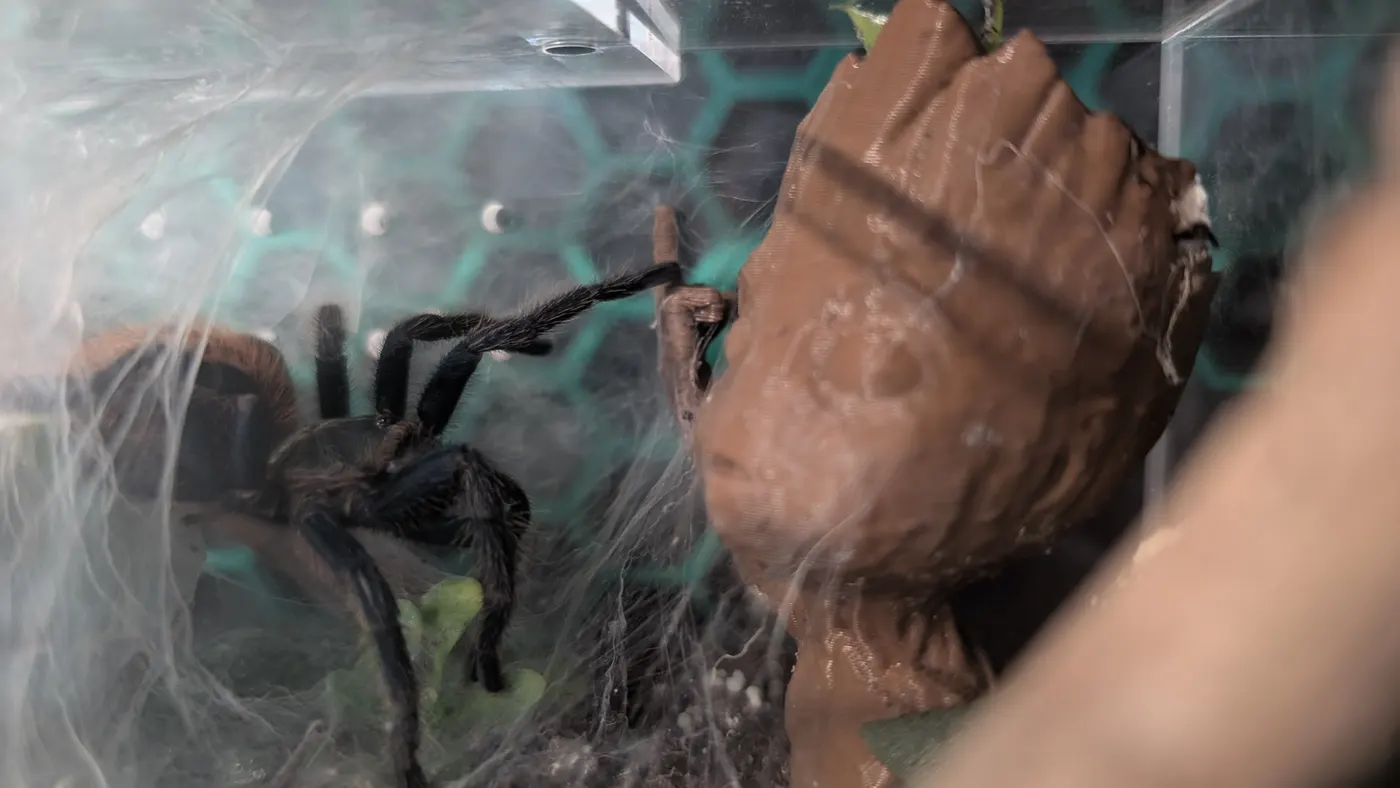
Viridian and Groot, at home on the bookshelf.
1 / 6Want a website you don’t have to worry about?
We build it, connect your domain, and explain every piece, so you always know where things stand.