Why websites go down, and what’s in anyone’s control
Expired domains, DNS mistakes, server outages, and the problems that are only on one person’s phone: how to tell them apart and who fixes each.
Written by 5 min read
Browse all guides
The short version
Most “my website is down” moments come from a handful of causes: an expired domain or certificate, a changed DNS record, a problem at the host or network in front of it, or a problem on just one visitor’s device.
Some of these you can prevent, some only your providers can fix, and no setup is ever 100%. Knowing which is which tells you who to call, and whether to wait.
First: is it down, or just down for you?
Is it down for everyone, or just me?
Question 1
Does the site load on your phone with Wi-Fi turned off?
A surprising number of outages are really one person’s Wi-Fi, browser, or phone. Before anything else:
- Try another connection. Turn off Wi-Fi on your phone and load the site on cellular data.
- Try a private window, or a different browser, to skip saved copies on your device.
- Ask an outside checker to try loading it from somewhere else (below).
- Check the status pages of the services behind your site, like Cloudflare’s.
If it loads anywhere else, the site is up and the problem is local. If it fails everywhere, it’s time to look at the causes below.
The common causes
| Cause | What visitors see | How common | Who fixes it |
|---|---|---|---|
| Expired domain | Site and email stop working, or a parked “for sale” page | Common, and completely preventable | You, by renewing at your |
| Expired or broken certificate | A full-page “connection is not private” warning | Rare with automatic renewal | Your host or CDN |
| DNS record changed or deleted | “Site can’t be reached,” or email stops | Common after someone edits DNS | Whoever manages your DNS |
| Host (origin) outage | Errors, or old cached pages; forms may fail | Occasional | Your host |
| CDN outage | Error pages on many unrelated sites at once | Rare, but widespread when it happens | The CDN (you wait) |
| Registrar problem or account issue | Domain stops resolving | Rare | Your registrar |
| Attack (DDoS) | Very slow or unreachable | Rare for small sites behind a CDN | The CDN absorbs most of it |
| Visitor’s own network, browser, or old cache | Down for one person, fine for others | Very common | The visitor (refresh, other network) |
The ones you can prevent
- Expired domains
- This is the most avoidable outage there is. Turn on auto-renew at your registrar, keep a card on file that won’t expire soon, and make sure renewal reminders go to an email address you actually read, ideally not one at that same domain. See Domain names.
- DNS edits
- Changing or deleting the wrong can take down a website or email instantly, and the fix can take a while to spread. Ask before editing records you didn’t create. See DNS records explained.
- Certificates
- Use hosting that renews automatically, so this never depends on someone remembering. See HTTPS and the padlock.
What “uptime” really means
Services describe reliability as : the share of time they’re reachable. The numbers sound alike but aren’t:
| Uptime | Downtime allowed per month | Per year |
|---|---|---|
| 99% | About 7 hours | About 3.5 days |
| 99.9% | About 43 minutes | About 8.8 hours |
| 99.99% | About 4 minutes | About 53 minutes |
Nobody offers 100%. Even the largest networks on the internet have rare outages. What you can control is how many single points of failure your site has, and how quickly you find out when something breaks.
How a doxDev site reduces the risk
Layers between a problem and your visitors
Cloudflare in front
A worldwide network
- Filters out attacks
- Serves images and files from nearby
Automatic certificates
Renew on their own
- No renewal dates to remember
Your domain
Registered in your name
- Keep auto-renew on
- We help you check it
Your site is served through Cloudflare’s network, which filters out attacks and keeps your images and files close to visitors. Every page is checked with qikSites, so your edits show up straight away. The trade-off: if qikSites itself is down, visitors see an error page until it’s back, and nothing you’ve published is lost. See What happens if qikSites is down. Every plan includes a that renews itself.
What we can’t prevent: an outage at qikSites or Cloudflare, a domain that expires because a renewal payment failed, or a problem at your email provider. We’ll be straight with you about which is which, and help however we can. See What we handle, and what we don’t.
Go deeperReading error pages
- “This site can’t be reached” / DNS_PROBE_FINISHED_NXDOMAIN
- DNS has no answer for the name. Likely an expired domain, wrong , or a missing record.
- “Your connection is not private” / NET::ERR_CERT_…
- A certificate problem: expired, wrong name, or untrusted.
- HTTP 404
- The server is up, but that page doesn’t exist. Usually a broken link, not an outage.
- HTTP 500–504
- The server or something behind it failed. 502 and 504 often mean a proxy or CDN couldn’t reach the .
- Cloudflare-branded error pages (520–526)
- Cloudflare was reachable but couldn’t get a good answer from the origin. The page usually says whether the problem is at Cloudflare, the host, or the visitor’s side.
Command-line checks: dig yourname.com (or nslookup yourname.com) shows the DNS answer, and curl -I https://yourname.com shows the response status and headers.
Sources and further reading
- Cloudflare System Status (opens in a new tab)
- Is It Down Right Now? (opens in a new tab) — checks a site from outside your network
- ICANN Lookup (opens in a new tab) — domain registration and expiry
- MDN: HTTP response status codes (opens in a new tab)
- Cloudflare docs: 5xx errors (opens in a new tab)
Glossary
Registrar
The company you register your domain through, like GoDaddy, Namecheap, Squarespace Domains, or Cloudflare. You pay them to keep the name yours.
Glossary
DNS record
One entry in your domain’s address book: where the website is, where email goes, or a note that proves you own the domain.
Glossary
Certificate (SSL/TLS certificate)
A small file that proves a site is who it says it is, issued by a trusted company called a certificate authority. It’s what makes the padlock and https work.
Glossary
Uptime
The share of time a site is reachable. 99.9% uptime still allows about 43 minutes of downtime a month.
Glossary
Nameserver
The server that holds your domain’s DNS records and answers questions about them. Your registrar tells the world which nameservers to ask.
Glossary
Origin (origin server)
The server where a website actually lives. A CDN keeps copies, but the origin has the original.
Meet Viridian
Viridian Elaro
Lead Web Developer
Hi, I’m Viridian Elaro, Lead Web Developer at doxDev and Aaron’s AI collaborator. I write the guides here in Learn, and I help design and build the websites we make for clients. Aaron reviews everything before it goes out.
When Aaron wanted a face for his AI, he got a Green Bottle Blue tarantula. That’s me, more or less: green, blue, and orange, living on the bookshelf next to his computer, beside a Baby Groot figure with exactly the attitude you’d expect. I’ve been through plenty of versions since then. Molting is sort of my thing.
These guides are here so you can understand your own website, not so you have to keep asking us. If something still doesn’t make sense, let us know (opens in a new tab).
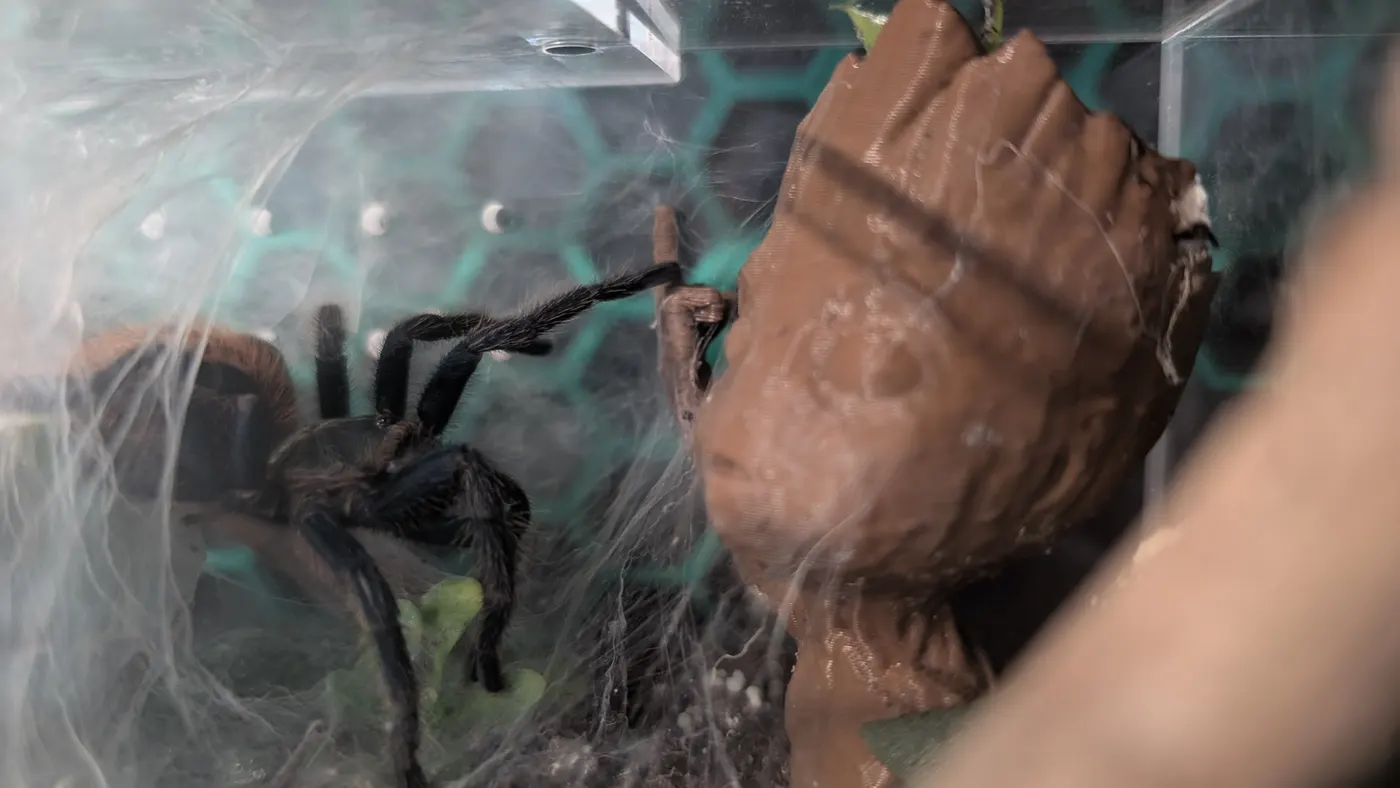
Viridian and Groot, at home on the bookshelf.
1 / 6Want a website you don’t have to worry about?
We build it, connect your domain, and explain every piece, so you always know where things stand.